
Overview
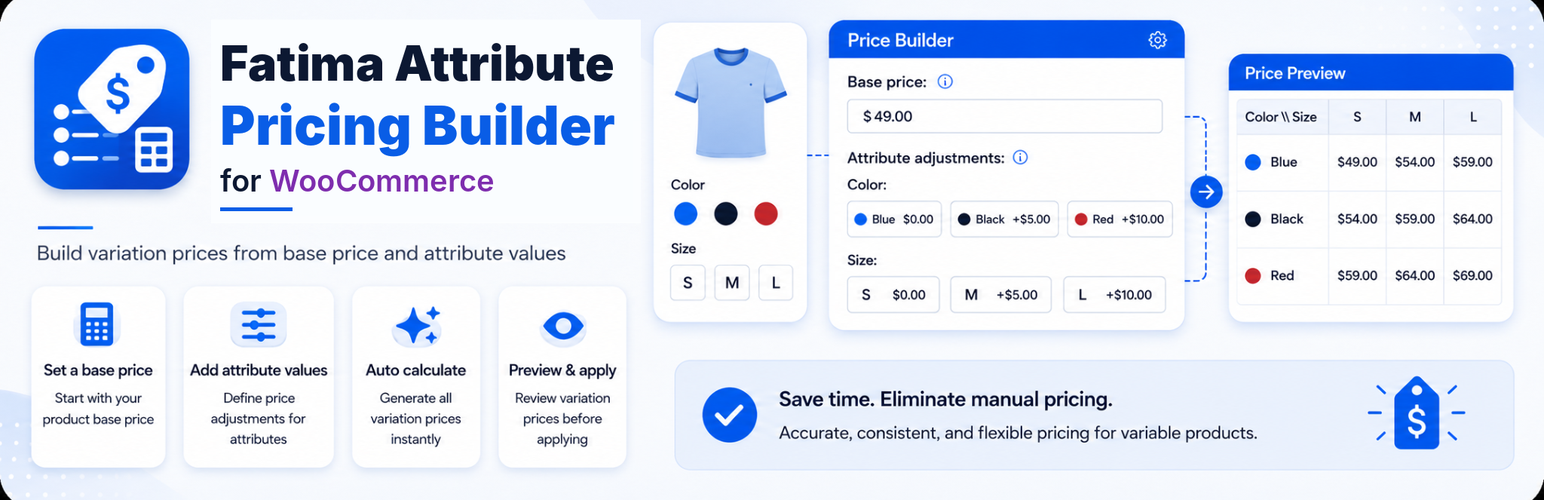
Fatima Attribute Pricing Builder for WooCommerce helps store owners calculate and apply regular prices for existing WooCommerce product variations using a simple pricing formula:
Instead of manually editing every variation price, you can define a base price for a variable product, set price values for its attribute options, preview the calculated prices, and then apply them to the product variations.
Requirements
WordPress
- Requires WordPress 6.0 or newer.
- Tested up to WordPress 7.0.
- Requires PHP 7.4 or newer.
WooCommerce
- Requires WooCommerce to be installed and active.
- Designed for WooCommerce variable products.
- Works with existing variations only.
Installation
You can also download the plugin directly from the official WordPress.org page:
https://wordpress.org/plugins/fatima-attribute-pricing-builder/
Quick Start
Global Attribute Defaults
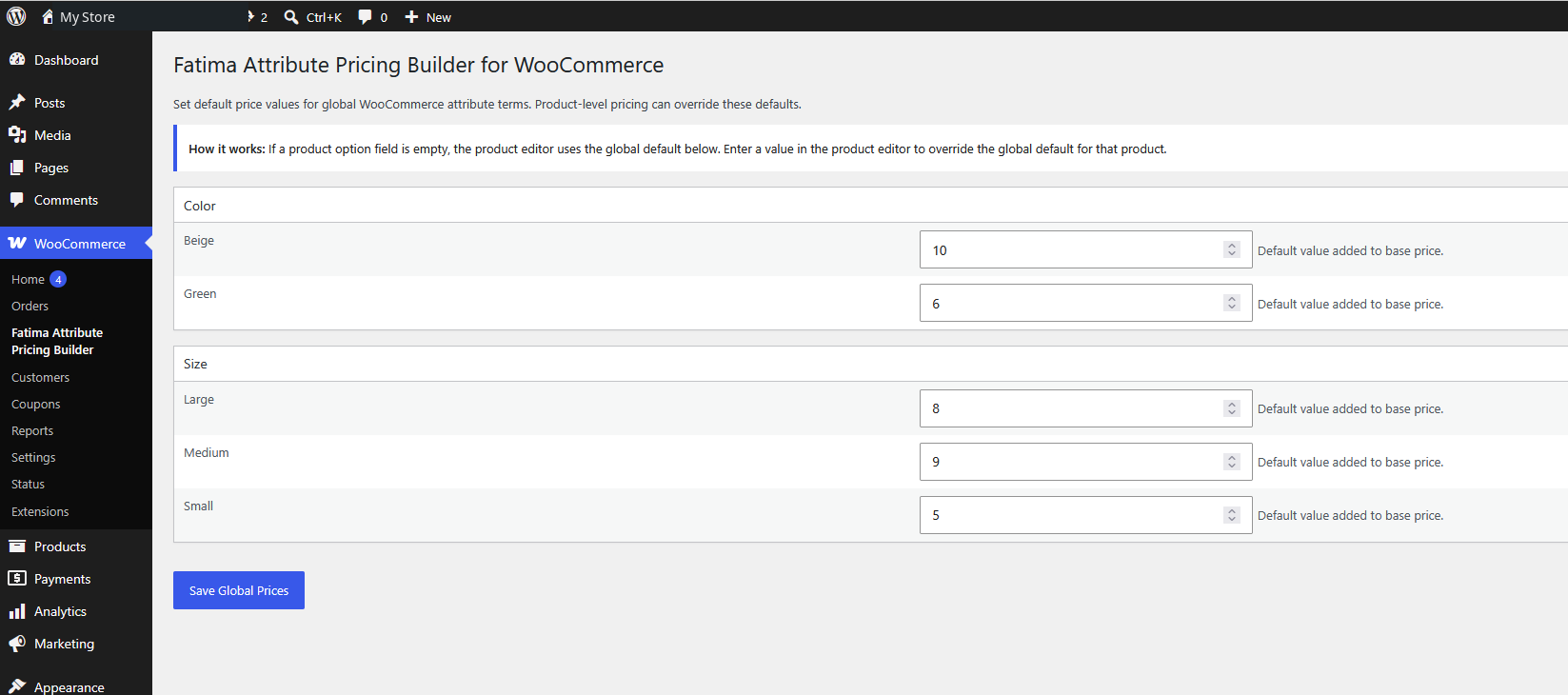
Global defaults let you define reusable price values for WooCommerce global attribute terms. When a product uses the same attribute terms, it can inherit those values automatically.
For example:
- Small = 0
- Medium = 3
- Large = 5
Go to WooCommerce → Fatima Attribute Pricing Builder to configure these values.
Product-level Overrides
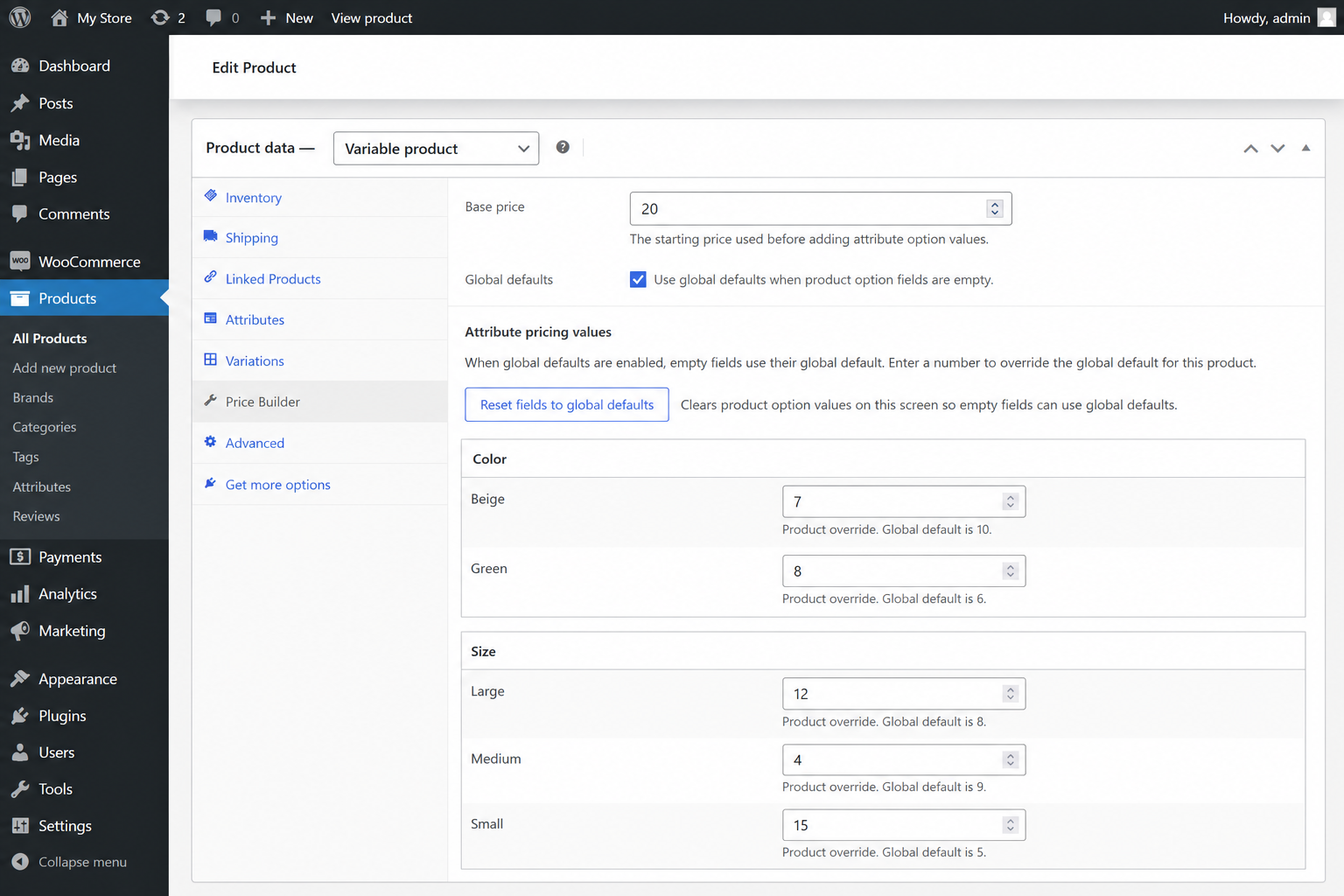
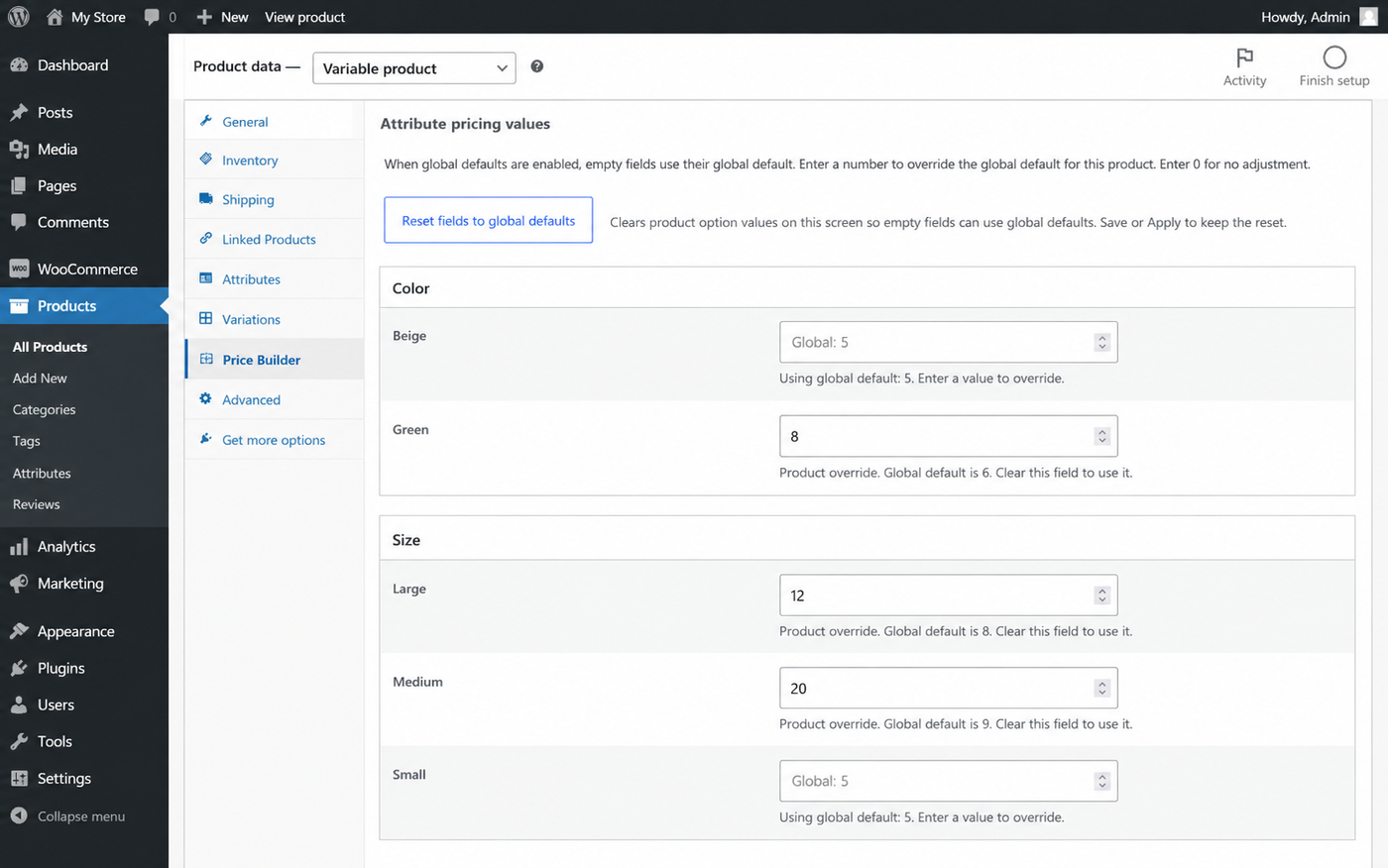
Product-level overrides let you customize option values for a specific variable product.
Leave a field empty
If global defaults are enabled, an empty product field uses the matching global default value.
Enter a number
The entered value becomes a product-level override for that product only.
Enter 0
The option adds no extra value for that product.
Reset to global defaults
Use the reset button to clear product-level values and return to global defaults.
Preview Prices
Before changing saved variation prices, use Preview Prices to calculate and review the expected results.
The preview table shows:
- Variation attributes.
- Saved variation price.
- Calculated price.
- Difference between saved and calculated prices.
- The formula used for each variation.
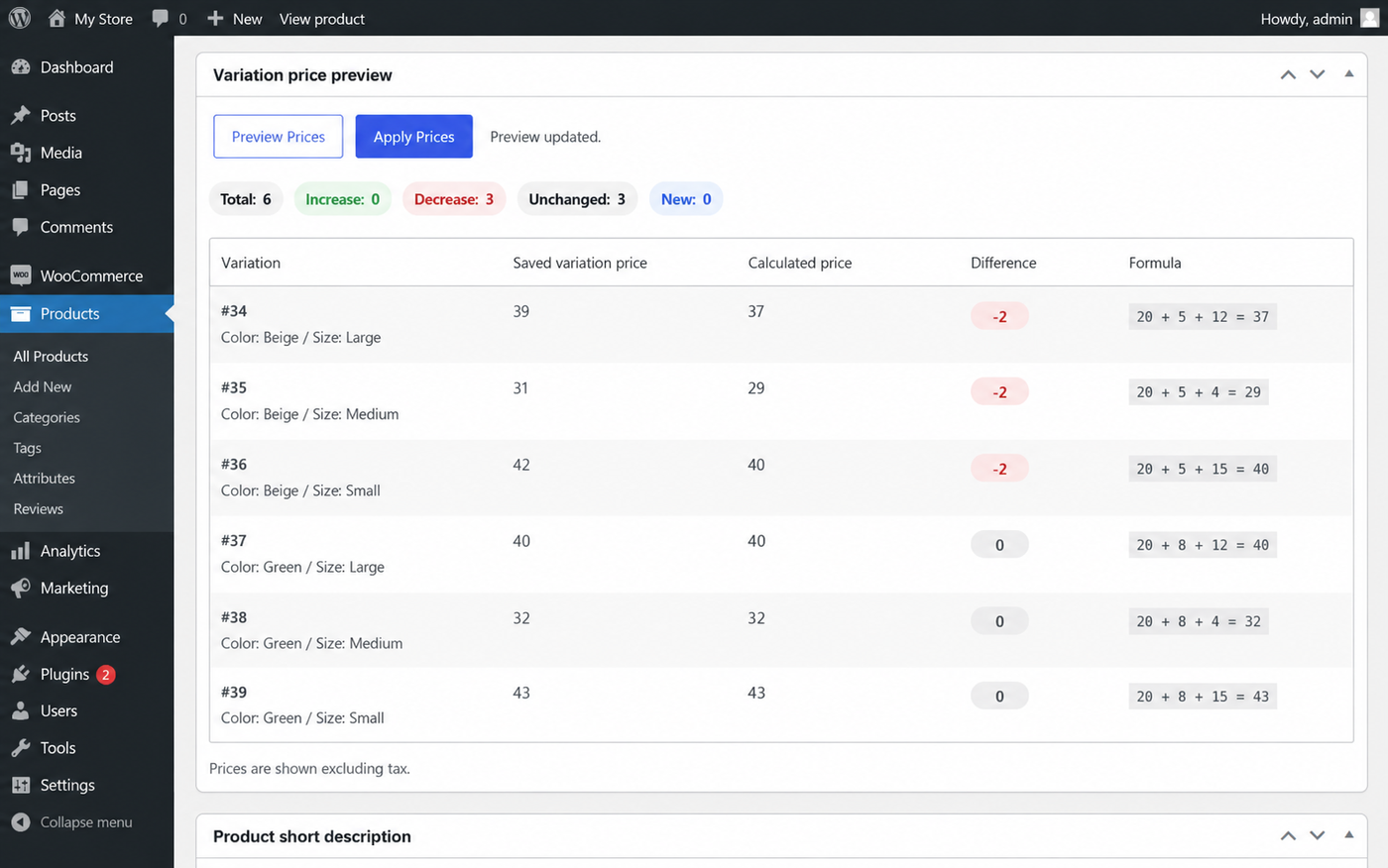
Apply Prices
After reviewing the preview table, click Apply Prices to save the calculated values to the regular prices of the listed WooCommerce variations.
The plugin focuses on regular variation prices. Review your sale price setup separately when running promotions.
Common Examples
Example 1: Product size pricing
| Base price | Attribute option | Option value | Calculated price |
|---|---|---|---|
| 10 | Small | 0 | 10 |
| 10 | Medium | 3 | 13 |
| 10 | Large | 5 | 15 |
Example 2: Multiple attributes
If the base price is 10, and the selected variation includes Large = 5 and Oat milk = 3, the calculated price becomes:
Frequently Asked Questions
Does this plugin work with simple products?
No. It is designed for WooCommerce variable products and their variations.
Does this plugin create variations automatically?
No. Create product attributes and variations using the standard WooCommerce tools first. This plugin calculates and applies prices to variations that already exist.
Can I set global prices for attribute terms?
Yes. Go to WooCommerce → Fatima Attribute Pricing Builder and set default values for global WooCommerce attribute terms.
Can a product override global prices?
Yes. Enter a value inside the product’s Price Builder tab to override the global default for that product.
What happens if I leave a product option field empty?
If global defaults are enabled for that product, the empty field uses the matching global default value. If global defaults are disabled, empty fields are treated as 0.
What happens if I enter 0?
Entering 0 means that option adds no extra value for that product.
Does Preview Prices change variation prices?
No. Preview Prices only calculates and displays the expected prices.
Does Apply Prices overwrite existing variation prices?
Yes. Apply Prices writes the calculated values to the regular prices of the listed WooCommerce variations.
Does this plugin change sale prices?
The plugin focuses on calculated regular variation prices. Review your sale price setup separately when running promotions.
Can I use this for restaurant or café add-ons?
Yes. It is useful for repeated options such as sizes, milk types, toppings, packaging, and add-ons.
Troubleshooting
The Price Builder tab does not appear
- Make sure WooCommerce is installed and active.
- Make sure the product type is set to Variable product.
- Save or update the product after changing its product type.
Calculated prices do not look correct
- Check the base price.
- Review the product option values.
- Check whether global defaults are enabled for the product.
- Use Preview Prices before applying changes.
Some variations are missing from the preview
- Confirm that the variations already exist in WooCommerce.
- Regenerate variations using the standard WooCommerce product editor if needed.
I entered an empty field and got 0
If global defaults are disabled, empty fields are treated as 0. Enable global defaults or enter a product-level value.
Support and Feedback
For support, questions, or feature suggestions, use the plugin support area on WordPress.org.