
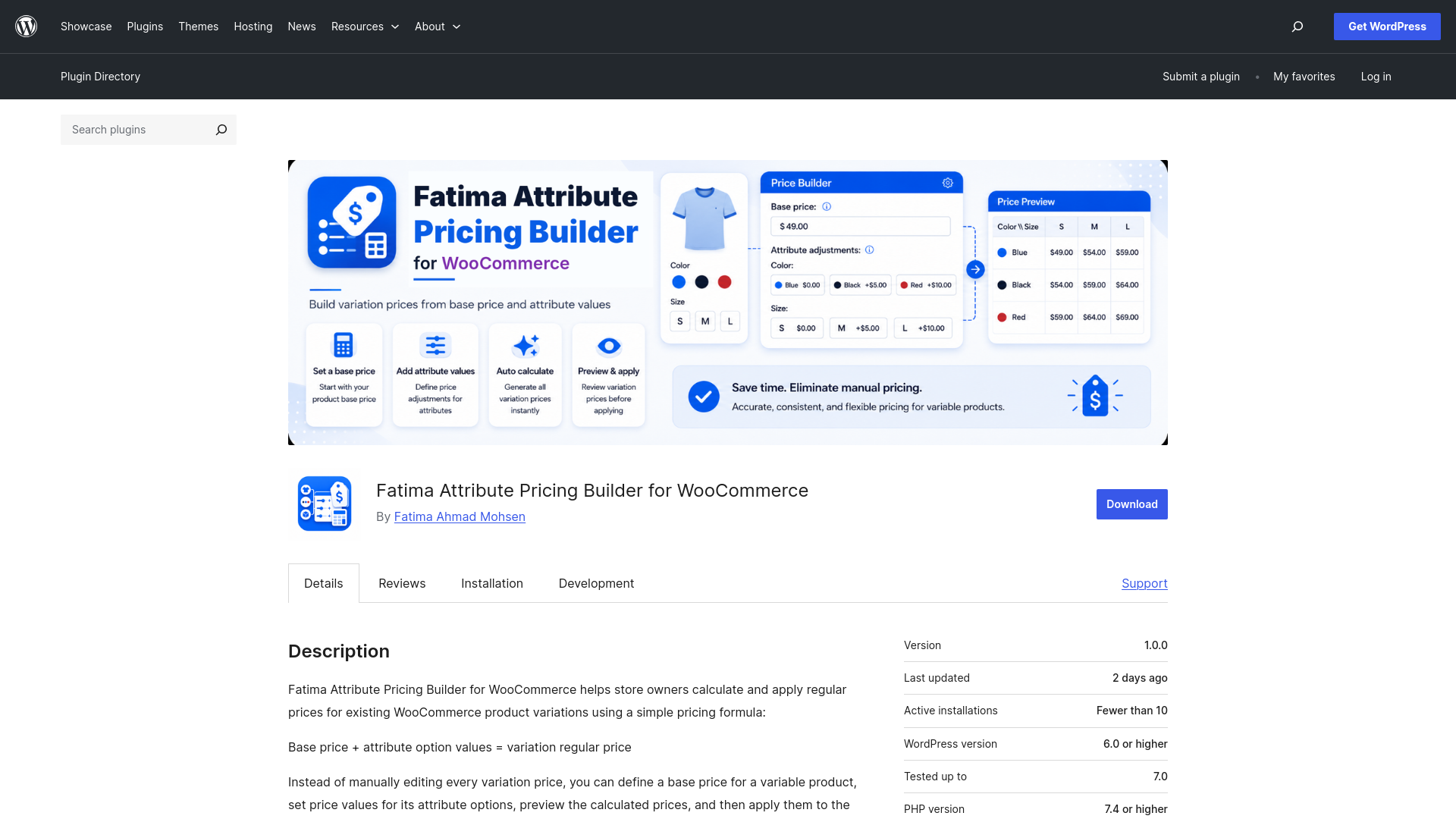
Fatima Attribute Pricing Builder for WooCommerce
An official WordPress / WooCommerce plugin published on WordPress.org, designed to help store owners calculate variable product prices using a base price, global attribute defaults, product-level overrides, and a preview step before applying prices.
Quick Project Information
Project Overview
Fatima Attribute Pricing Builder for WooCommerce is a plugin created for WooCommerce stores that use variable products and need a clearer, faster way to calculate variation prices.
The idea started from a real problem while working on a WooCommerce store, where manually editing each variation price was time-consuming, especially when the same options were repeated across multiple products.
Plugin Idea
The plugin is based on a simple pricing formula:
A store owner sets a base price for the product, then defines price values for attribute options. The plugin calculates the final price for each existing variation.
The plugin works with the standard WooCommerce attributes and variations that already exist. It does not create attributes or generate variations automatically, which keeps it lightweight and aligned with WooCommerce’s native workflow.
The Problem It Solves
In stores with variable products, store owners often need to update many variation prices manually.
This becomes repetitive and time-consuming when the same option values are used across several products, such as sizes, add-ons, packaging options, food options, or other product attributes.
The plugin simplifies this workflow by helping the store owner build prices from reusable pricing rules instead of entering every variation price manually.
Key Features
- Add a base price for each variable product.
- Set price values for attribute options and terms.
- Create global default values that can be reused across multiple products.
- Override global defaults at the product level when needed.
- Distinguish between an empty field and the value 0 in the pricing logic.
- Preview calculated prices before applying them.
- View the saved price, calculated price, difference, and formula.
- Apply calculated prices to existing WooCommerce variation regular prices.
- Reset product fields back to global defaults.
Global Defaults
One of the most important decisions in the plugin was adding global default values.
Instead of entering the same option prices inside every product, the store owner can set default prices for global WooCommerce attribute terms and reuse them across products automatically.
This is especially useful for stores that repeat the same options across multiple products, such as restaurants, cafés, food stores, and customizable product stores.
Product Overrides
Some products may need different pricing values than the global defaults.
For that reason, the plugin supports product-level overrides. A product can either use the global default values or define its own custom values when needed.
Empty Field vs 0
One important detail in the plugin logic is that an empty field does not mean the same thing as the number 0.
- An empty field means: use the value from Global Defaults.
- The value 0 means: this option adds no extra cost for this product.
This small distinction makes the plugin behavior clearer and more practical for store owners.
Preview before Apply
Applying calculated prices directly can be risky because existing variation prices will be updated.
For that reason, the plugin includes a Preview Prices step before applying changes.
The preview table allows the store owner to review the current saved price, the new calculated price, the difference, and the formula used before clicking Apply Prices.
Once reviewed, the store owner can apply the calculated prices to the regular prices of the existing WooCommerce variations.
Scope of Work
- Analyzing the pricing problem and connecting it to WooCommerce’s native variable product workflow.
- Designing the pricing logic based on base price and attribute values.
- Adding a Price Builder tab inside variable products.
- Creating a global settings page inside WooCommerce.
- Building Global Defaults and Product Overrides logic.
- Adding Preview Prices before applying price changes.
- Adding Apply Prices to update existing variation regular prices.
- Preparing the readme, screenshots, banner, and icon.
- Running Plugin Check and fixing compatibility notes.
- Handling WordPress.org review feedback and preparing the plugin for official release.
- Publishing the plugin to WordPress.org through SVN.
- Creating a standalone documentation page for the plugin.
Technical Side
The plugin was developed to work with WordPress and WooCommerce while relying on WooCommerce’s standard variable product and variation system.
It was also prepared for official publication on WordPress.org by including a proper readme.txt file, translation readiness, plugin assets, Plugin Check validation, and the official SVN structure with trunk, tags, and assets.
Result
Fatima Attribute Pricing Builder for WooCommerce
It is now available for download and use, with a complete documentation page that explains the setup process, usage steps, and pricing examples.